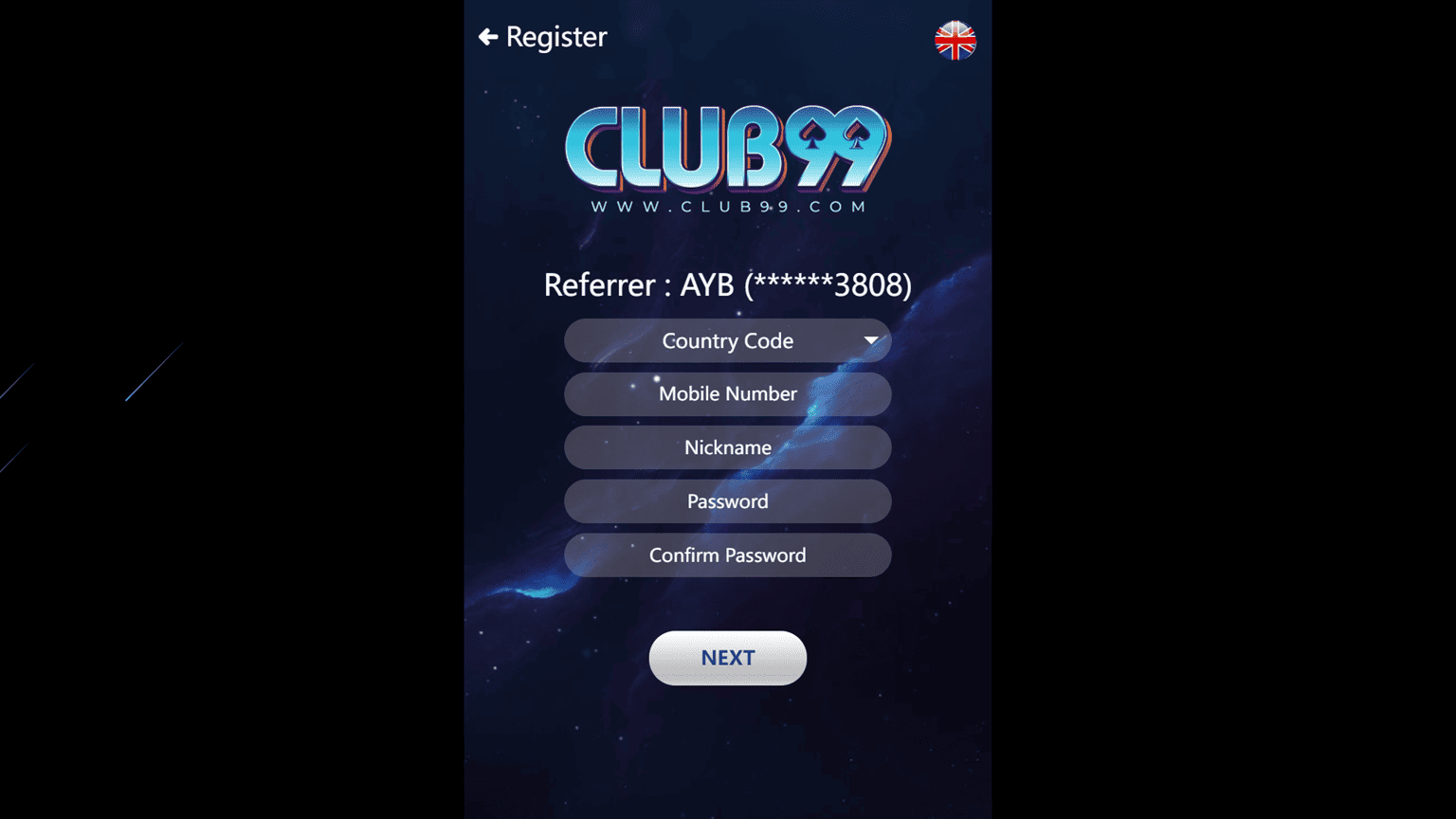

Want to create a new Club99 account? Club99 Register is the starting point for new users who want to set up an account and access the gaming options available through the platform.
The registration process is designed to collect the basic account information required to create your member profile. Before signing up, make sure you are using the current Club99 website, enter information that belongs to you, and review any account requirements shown on the registration screen.
If you already have a Club99 account, there is no need to register again. Use the Club99 Login page to access your existing account.
The exact Club99 registration form may change, but new users can generally follow these steps:
Once the account has been created successfully, you can use your registered details to sign in.
Do not enter false information simply to complete registration faster, as incorrect details may cause problems if account verification is required later.
The information requested during Club99 Registration can depend on the current signup process.
You may be asked to provide details such as:
Only complete fields that appear on the current registration page.
You should also use a mobile number or email address that you can access because they may be needed for account verification, password recovery, or important account notifications.
Your password is an important part of protecting your account.
Avoid using passwords that are easy to guess, including:
A stronger password normally combines different characters and is not connected to easily available personal information.
Keep your password private and do not send it to another person through chat, social media, or messaging applications.
New users can also complete the signup process from a compatible mobile device.
Open Club99 through your mobile browser and select the registration option. The page should adapt to the smaller screen, allowing you to complete the required fields using your phone.
Before submitting the form:
If a mobile application is available and you prefer app access after registration, check the Club99 Download guide for the current Android or iPhone instructions.
There is no need to download an unknown file simply to create an account if browser registration is available.
Take a moment to review the registration form before submitting it.
Small mistakes in your mobile number, email address, name, or other account details can make account recovery or verification more difficult later.
If Club99 requests verification, follow the instructions presented through the current platform.
Never provide passwords, verification codes, or confidential payment information to someone who contacts you unexpectedly and claims that registration cannot be completed without it.
If you have previously created an account, do not create another one just because you cannot remember your password.
Go to the Club99 Login page and try the available account-recovery option instead.
Using your existing account can help avoid duplicate-account issues and keeps your account history connected to the same registered profile.
If you are unsure whether an account already exists, use the appropriate support option for assistance.
After successfully creating your Club99 account and signing in, you can explore the options currently available in the member area.
Depending on the platform, these may include:
Available games, services, promotions, and payment methods can change. Check the current member area rather than relying on old screenshots or previously published promotional information.
You may see promotions while creating or accessing your Club99 account.
Do not register only because a banner displays a large reward amount.
Before participating in an offer, check important conditions such as:
The Club99 Promotion page should be used for current promotional information and detailed offer conditions.
This keeps the registration process separate from bonus information and makes it easier to understand what you are agreeing to.
If you cannot complete the Club99 signup process, check the following common issues.
A mobile number connected to an existing account may not be accepted for another registration.
If you already created an account previously, try recovering that account instead of registering again.
The username you selected may already be in use.
Choose another username if the registration form asks you to do so.
Check the password requirements displayed on the registration page. The platform may require a particular length or combination of characters.
Confirm that the mobile number or email address you entered is correct. Network delays can also affect verification messages.
Avoid requesting many verification codes within a short period.
Check your internet connection and refresh the page. You can also try an updated browser if the registration form is not displaying correctly.
Review every required field and make sure the requested information has been entered in the correct format.
If the problem continues, use the available support option rather than repeatedly submitting the same form.
Account protection should begin as soon as registration is complete.
Remember these basic precautions:
If someone claims that you must provide your login password to activate a promotion or process a withdrawal, verify the request through the appropriate Club99 support channel before taking action.
Creating an account should be a considered decision.
Gaming involves financial risk and should be treated as entertainment rather than a guaranteed source of income. Set personal limits before spending money and never use funds needed for essential expenses.
Users should also make sure they meet applicable age requirements and understand the rules that apply to online gambling in their location before registering or participating.
Open the current Club99 website, select Register or Sign Up, complete the required fields, review your information, and submit the registration form. Complete any verification step shown by the platform.
Yes. If mobile browser registration is available, you can open the Club99 website from a compatible smartphone and complete the signup form without using a desktop computer.
The required information depends on the current registration form. It may include a username, password, mobile number, email address, name, or other account details.
Registration may fail because of incomplete information, an already registered mobile number, an unavailable username, an incorrect form format, a connection issue, or a verification problem.
Not necessarily. If browser registration is available, you can create your account through the website first. Check the Club99 Download page separately if you want mobile app access.
No. Existing members should use Club99 Login or the available account-recovery process instead of creating unnecessary duplicate accounts.
Check the Club99 Promotion page for current offers and read the complete terms before claiming a promotion.
If you are a new user, begin with the current Club99 Register page and complete the required account information carefully.
Review your details before submitting the form, keep your password and verification information private, and use the Club99 Login page after your account has been successfully created.
For mobile installation instructions, promotions, and game information, use the relevant dedicated Club99 pages rather than trying to complete every activity through the registration page.